

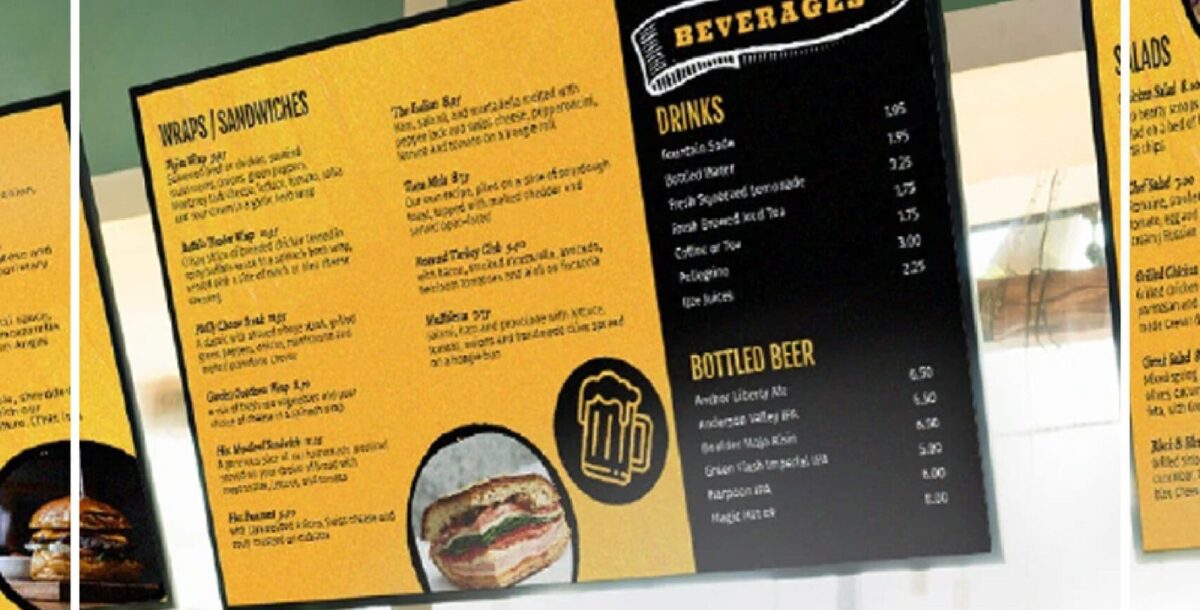
For restaurants, cafés and quick-service businesses, a digital menu board is more than a television with a menu image. A reliable system combines commercial displays, content design, media players or built-in software, mounting, power, networking and an update workflow that staff can actually manage.
This 2026 guide explains how to plan digital menu boards in Dallas, what affects cost, which screen features matter, and how to design menus that remain readable during a busy service.
What Is a Digital Menu Board?
A digital menu board uses one or more displays to present menu items, prices, product photos, promotions and required information. Content can typically be updated without printing a new physical menu panel.
Restaurants commonly use digital menu displays for:
- Breakfast, lunch and dinner menus
- Combo meals and upsells
- Limited-time offers
- Seasonal products
- Price updates
- Sold-out item changes
- Nutritional or required information
- Pickup and order-status areas
See our Digital Menu Boards Dallas TX service page for project options.
How Much Do Digital Menu Boards Cost in 2026?
There is no useful single price because the total system depends on the number of screens, display grade, mounting, media players, content-management software, networking, electrical work and installation conditions.
A simple one-screen setup has a completely different budget from a five-screen restaurant menu wall with commercial displays, synchronized content and professional installation.
Main Cost Components
- Displays: Screen size, brightness, commercial duty cycle and warranty affect hardware cost.
- Media player: Some systems use an external player while others use displays with built-in digital-signage capability.
- Content management: Cloud platforms may charge per screen or per location.
- Mounting hardware: Wall brackets, ceiling mounts and multi-screen mounting systems vary in complexity.
- Electrical and data: Power and network access may need to be added or relocated.
- Design: Menu templates, photography and branded content affect creative scope.
- Installation: Screen height, wall type, access and number of displays affect labor.
For a project-specific estimate, send the number of screens you want, wall photographs, approximate viewing distance and installation address through our quote form.
Commercial Display vs. Consumer TV
A consumer television may look attractive because of its lower upfront price, but restaurants should evaluate the total operating environment.
Commercial displays may offer:
- Longer daily operating ratings
- Higher brightness options
- Portrait or landscape orientation support
- Commercial warranties
- Remote management features
- Better control over automatic power behavior
- Thinner bezels for multi-screen menu walls
A consumer TV may still work in some low-demand situations, but screen choice should be based on operating hours, brightness, orientation and service expectations rather than purchase price alone.
How Many Screens Does a Restaurant Need?
The right number depends on menu size and viewing distance. Adding more screens is not automatically better. A four-screen wall filled with tiny text can be harder to read than a well-designed two-screen system.
Consider:
- Number of menu categories
- Distance from the ordering point
- Customer queue direction
- Amount of product photography
- Need for promotions or video
- Whether pickup information needs a separate display
What Screen Size Is Best for a Digital Menu Board?
There is no universal screen size. Common installations use displays large enough to make prices and item names readable from the ordering position without forcing the customer to scan excessive content.
Before choosing screen size, measure:
- Viewing distance
- Available wall width
- Ceiling height
- Counter position
- Mounting height
- Number of menu columns
Digital Menu Board Software Features to Look For
Dayparting
Breakfast, lunch and dinner menus can switch automatically at scheduled times.
Central Price Updates
Operators should be able to change a price or menu item without rebuilding every screen manually.
Sold-Out Item Control
A useful workflow makes it easy to remove or mark unavailable items during service.
Multi-Location Management
Restaurant groups need a way to maintain brand consistency while allowing approved local differences.
Offline Playback
Consider what happens if internet access drops. Systems that cache approved content locally can reduce the risk of blank screens.
User Permissions
Different staff roles may need different access to pricing, promotions and templates.
How to Design a Digital Menu Board That Customers Can Read
1. Build a Clear Information Hierarchy
Category names, item names, descriptions and prices should have visibly different levels of importance. Customers should understand the structure within seconds.
2. Avoid Tiny Text
Designing on a laptop can make text look larger than it appears from the customer queue. Evaluate the menu at the actual viewing distance.
3. Limit Competing Animations
Movement can help attract attention to a promotion, but excessive animation can make the menu harder to scan.
4. Use Product Photography Selectively
High-quality food photography can increase visual impact, but too many images reduce space for menu information.
5. Keep Prices Easy to Find
Customers should not have to search across the screen to connect a menu item with its price.
6. Use Consistent Templates
Consistent spacing, typography and colors make future updates faster and reduce accidental layout problems.
Digital Menu Board Installation Planning
Installation should be planned before the screens arrive. Key questions include:
- What is the wall material?
- Where are the studs or structural mounting points?
- Is there sufficient power behind or near each screen?
- Will cables be visible?
- Is wired or wireless networking available?
- How will technicians access screens for future service?
- Is the mounting height comfortable for viewing?
Digital Menu Boards for Drive-Thru and Outdoor Use
Outdoor menu boards require different hardware from indoor displays. The equipment may need higher brightness, weather protection, environmental control and an enclosure or structure designed for outdoor exposure.
Do not assume an indoor television can simply be placed outside under a canopy. Outdoor heat, moisture and direct sunlight create much tougher operating conditions.
Common Digital Menu Board Mistakes
- Choosing screens before measuring the viewing distance
- Using consumer displays for demanding commercial operating hours without evaluating suitability
- Designing menus with too much text
- Ignoring power and cable routing until installation day
- Using too many animations
- Not assigning responsibility for menu updates
- Failing to plan what happens during an internet outage
- Using different templates at every location without brand control
When Should a Restaurant Upgrade from Printed Menus?
Digital menu boards are especially useful when prices, promotions or available items change frequently. They can also help multi-location restaurants maintain consistent visual standards and schedule content changes by time of day.
Printed menu boards may still make sense for small, stable menus that rarely change. The decision should be based on operations—not simply on whether digital screens look more modern.
Frequently Asked Questions
Can digital menu boards change automatically for breakfast and lunch?
Yes. Many content-management systems support dayparting so approved menu layouts change at scheduled times.
Do I need commercial screens?
Not every installation is identical, but commercial displays are designed for business operating conditions and often provide longer duty cycles, commercial warranties, orientation support and management features.
Can I update menu prices remotely?
With a connected digital-signage platform, menu prices and content can typically be updated through a web-based management system. The exact workflow depends on the platform.
How many menu screens should my restaurant use?
The number should be based on menu complexity, available wall space and viewing distance. The goal is readability, not maximum screen count.
Can digital menu boards be installed outdoors?
Yes, but outdoor installations need equipment designed for brightness, temperature and weather exposure. Outdoor systems should be specified separately from standard indoor menu screens.
Plan Digital Menu Boards for Your Dallas Restaurant
A successful digital menu board system combines the right screen hardware with readable content and a practical update process. The best system is the one that staff can manage easily and customers can understand quickly.
Explore digital menu boards in Dallas or contact HexaSigns with your wall photos, screen count and project details for a custom quote.